

If you’re searching for clear, actionable guidance on high-performance computing cluster setup, you likely need more than theory—you need practical direction you can trust. Whether you’re building a cluster for AI model training, advanced simulations, data-intensive research, or enterprise-scale processing, getting the architecture right from the start is critical to performance, scalability, and cost efficiency.
This article is designed to walk you through the essential components, configuration strategies, and optimization protocols required for a reliable and future-ready cluster environment. We focus on real-world implementation challenges, from hardware selection and network topology to workload management and security considerations.
Our insights are grounded in hands-on experience with advanced computing systems, AI-driven workloads, and modern infrastructure troubleshooting. By the end, you’ll understand not just how to set up a high-performance environment, but how to ensure it runs efficiently, scales intelligently, and supports demanding computational tasks without unnecessary complexity.
I still remember the first time a model training job ran for three days straight—and then crashed at 92%. That’s when computational bottlenecks stopped being theoretical and started being personal. In simple terms, a computing cluster is a group of connected machines that function as one system, pooling CPU, GPU, memory, and storage resources. Think of it like assembling the Avengers instead of sending in one hero alone.
At first, I resisted a high-performance computing cluster setup. “Isn’t one powerful server enough?” some argue. For small workloads, sure. But as datasets scale, distributed processing—splitting tasks across nodes—dramatically reduces execution time (Barroso et al., Datacenter as a Computer). Start with reliable networking, scalable storage, and a workload manager. Pro tip: prioritize redundancy early—it saves painful rebuilds later.
Cluster Fundamentals: The “Why” and “What” of Distributed Computing
At its core, a computing cluster is a group of interconnected computers—called nodes—that function as a single, unified system. Instead of relying on one supercomputer, clusters combine the power of many standard machines. In practice, this approach dominates modern infrastructure: over 90% of the world’s top 500 supercomputers use clustered architectures (TOP500, 2023).
So why use a cluster instead of one powerful server? The advantages are measurable:
- Parallel processing: Tasks are divided and executed simultaneously across nodes, dramatically reducing completion time. For example, Google’s MapReduce framework processes petabytes of data by distributing workloads.
- High availability: If one node fails, others continue operating. This redundancy minimizes downtime—a critical feature for financial systems and cloud providers.
- Scalability: Need more power? Add more nodes. Companies running a high-performance computing cluster setup often scale horizontally to meet AI training demands.
Moreover, clusters power real-world breakthroughs. Pixar’s rendering farms process millions of frames in parallel. Scientific teams model protein folding using distributed simulations, accelerating drug discovery (Nature, 2020). Meanwhile, training large machine learning models—like GPT architectures—requires thousands of GPUs working in concert.
Admittedly, clusters introduce network complexity. However, the proven gains in speed, resilience, and growth flexibility make distributed computing indispensable in today’s data-driven world.
Architecting Your Cluster: A Hardware and Networking Blueprint
Designing a cluster isn’t just stacking servers in a rack (if only it were that simple). It’s about assigning clear roles, optimizing data flow, and planning for WHAT COMES NEXT as workloads grow.
Nodes (The Computational Units)
A cluster typically includes:
- Master node: The controller that schedules jobs and manages resources.
- Compute nodes: The workhorses that execute tasks.
- Storage nodes: Systems dedicated to managing and serving data.
The biggest decision? CPU vs. GPU. CPU-intensive nodes excel at sequential logic and general-purpose workloads. GPU-accelerated nodes shine in parallel processing—think AI model training or molecular simulations. According to NVIDIA, GPUs can deliver orders-of-magnitude acceleration for parallel workloads (NVIDIA Developer, 2024).
Some argue GPUs are overkill due to cost and power draw. Fair point. But if your roadmap includes machine learning or simulation-heavy tasks, retrofitting later is far more expensive (pro tip: plan for scaling on day one).
Interconnects (The Nervous System)
Networking determines whether your cluster feels lightning-fast or painfully sluggish.
- Gigabit Ethernet: Affordable, easy to deploy, higher latency.
- InfiniBand: Low-latency, high-throughput, ideal for performance-critical environments.
For high-performance computing cluster setup, low latency is non-negotiable. Mellanox benchmarks show InfiniBand dramatically reduces communication bottlenecks in HPC workloads (NVIDIA Networking, 2023). If future AI pipelines are likely, investing early prevents painful upgrades.
Shared Storage (The Central Library)
Centralized storage ensures EVERY node accesses the same data consistently.
- NAS (Network Attached Storage): Simple and cost-effective.
- SAN (Storage Area Network): Higher performance, complex setup.
- Distributed file systems (e.g., NFS): Enable shared access across nodes.
As clusters scale, security becomes critical. Implementing strong access controls and following best practices in secure data transmission protocols in distributed systems ensures performance doesn’t compromise protection.
Because after architecture comes optimization—and optimization never really stops.
Step-by-Step Implementation: From Bare Metal to a Functioning System
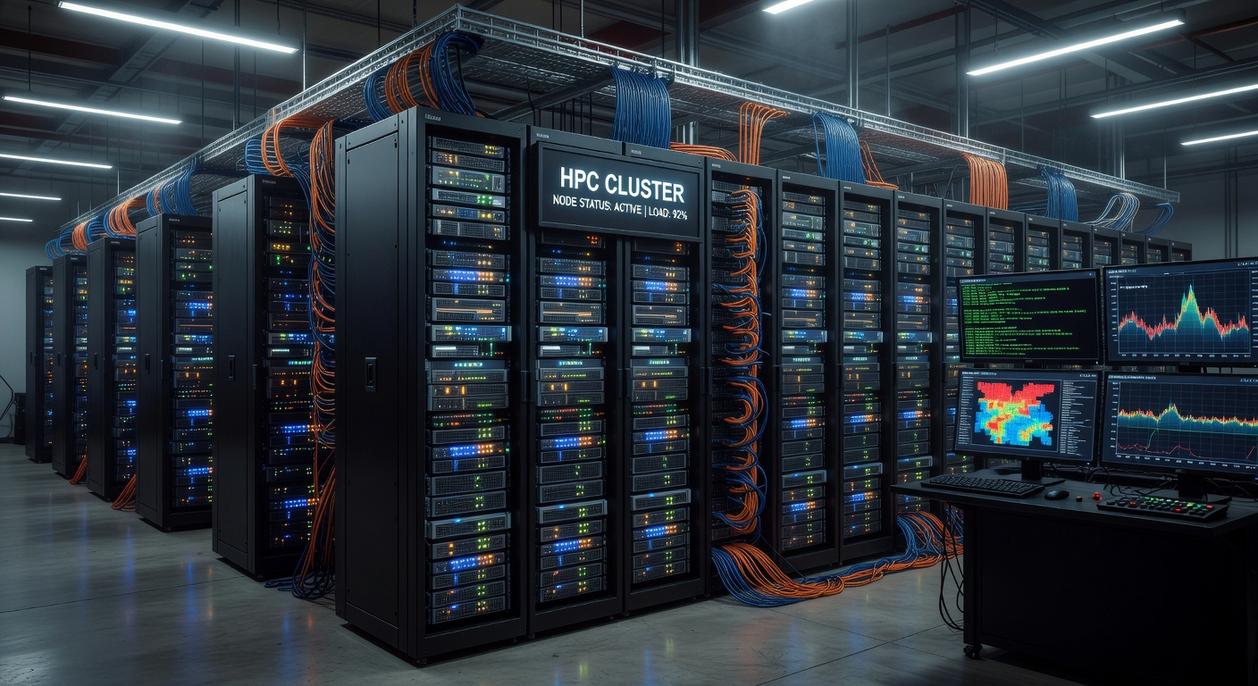
Phase 1: Physical Assembly and Network Configuration
“Cable management isn’t cosmetic,” a senior sysadmin once told me. “It’s airflow, uptime, and your future sanity.” He wasn’t kidding. Proper racking (mounting servers securely in standardized frames) prevents vibration and overheating. Use labeled, color-coded Ethernet and fiber cables to reduce human error (because someone will unplug the wrong cord at 2 a.m.). Configure switches with VLANs—Virtual Local Area Networks—to logically segment traffic and optimize east-west data flow between nodes. Poor topology design can bottleneck performance before software even boots.
CAPS
Phase 2: OS Installation and Hardening
Choose a stable Linux distribution like Ubuntu Server or CentOS. A systems engineer once said, “Pick boring. Boring stays online.” Install via PXE boot (network-based installation) to maintain consistency across nodes. Immediately disable root SSH login, enforce key-based authentication, configure firewalls, and apply security patches. According to the 2023 Verizon Data Breach Investigations Report, unpatched vulnerabilities remain a leading breach vector. Hardening isn’t paranoia—it’s protocol.
- Disable unused services
- Enforce least privilege access
Phase 3: Deploying the Cluster Management Stack
This is where high-performance computing cluster setup becomes real infrastructure. Use SLURM (Simple Linux Utility for Resource Management) to allocate compute jobs efficiently, or Kubernetes for container orchestration. “If you can’t schedule it, you can’t scale it,” a DevOps lead told me. Resource managers prevent node contention and improve utilization.
Phase 4: Finalizing User Access and Testing
Set up user groups, configure SSH keys, and audit permissions. Then validate performance with HPL (High-Performance Linpack), the benchmark used in TOP500 rankings (top500.org). If numbers fall short, revisit network latency and BIOS settings (yes, even that). A functioning system isn’t declared—it’s proven.
Maximizing Throughput: Essential Optimization and Management Techniques
Performance monitoring is your cluster’s mission control (think NASA in Apollo 13). Track CPU/GPU utilization, memory consumption, network I/O, and node temperatures to spot bottlenecks before they snowball. Tools like Prometheus and Grafana visualize metrics in real time, turning raw data into actionable insight.
Efficient job scheduling acts like an air-traffic controller, allocating resources, preventing conflicts, and ensuring fair use across users. In a high-performance computing cluster setup, this balance is critical.
Finally, build resilience with redundancy and fault tolerance so node failures don’t trigger a full “blue screen” moment. Stay vigilant always.
Your journey from blueprint to computational reality starts with clarity. A high-performance computing cluster setup is simply multiple computers (called nodes) linked together so they act like one powerful system. Think of the Avengers assembling—each hero is strong alone, but unstoppable together. Synergy means the combined performance exceeds individual parts. Networking connects nodes, scheduling software assigns tasks, and storage keeps data accessible. Review the essentials below before purchasing hardware. Each layer plays a defined role in delivering scalable performance.
| Component | Purpose |
| Compute Nodes | Execute parallel workloads |
| Network Fabric | Transfers data rapidly |
| Cluster Manager | Orchestrates jobs |
Start small, then scale confidently.
Take Control of Your High-Performance Computing Future
You came here to understand what it really takes to execute a high-performance computing cluster setup the right way. Now you have a clear picture of the architecture, hardware considerations, network design, security layers, and optimization strategies required to build a system that actually performs under pressure.
The reality is this: poorly configured clusters waste time, drain budgets, and bottleneck innovation. Downtime, inefficient scaling, and unstable workloads aren’t just technical issues — they’re barriers to growth.
The good news? With the right strategy and proven deployment framework, you can build a cluster that delivers speed, reliability, and long-term scalability.
If you’re ready to eliminate performance bottlenecks and deploy a system built for demanding workloads, now is the time to act. Get expert guidance, implement best-in-class configuration practices, and ensure your infrastructure is optimized from day one. Don’t let misconfiguration slow you down — take the next step and build your cluster the right way today.
 There is a specific skill involved in explaining something clearly — one that is completely separate from actually knowing the subject. Christopher Braggshover has both. They has spent years working with innovation alerts in a hands-on capacity, and an equal amount of time figuring out how to translate that experience into writing that people with different backgrounds can actually absorb and use.
Christopher tends to approach complex subjects — Innovation Alerts, Essential Tech Strategies, Device Troubleshooting Solutions being good examples — by starting with what the reader already knows, then building outward from there rather than dropping them in the deep end. It sounds like a small thing. In practice it makes a significant difference in whether someone finishes the article or abandons it halfway through. They is also good at knowing when to stop — a surprisingly underrated skill. Some writers bury useful information under so many caveats and qualifications that the point disappears. Christopher knows where the point is and gets there without too many detours.
The practical effect of all this is that people who read Christopher's work tend to come away actually capable of doing something with it. Not just vaguely informed — actually capable. For a writer working in innovation alerts, that is probably the best possible outcome, and it's the standard Christopher holds they's own work to.
There is a specific skill involved in explaining something clearly — one that is completely separate from actually knowing the subject. Christopher Braggshover has both. They has spent years working with innovation alerts in a hands-on capacity, and an equal amount of time figuring out how to translate that experience into writing that people with different backgrounds can actually absorb and use.
Christopher tends to approach complex subjects — Innovation Alerts, Essential Tech Strategies, Device Troubleshooting Solutions being good examples — by starting with what the reader already knows, then building outward from there rather than dropping them in the deep end. It sounds like a small thing. In practice it makes a significant difference in whether someone finishes the article or abandons it halfway through. They is also good at knowing when to stop — a surprisingly underrated skill. Some writers bury useful information under so many caveats and qualifications that the point disappears. Christopher knows where the point is and gets there without too many detours.
The practical effect of all this is that people who read Christopher's work tend to come away actually capable of doing something with it. Not just vaguely informed — actually capable. For a writer working in innovation alerts, that is probably the best possible outcome, and it's the standard Christopher holds they's own work to.